
StageHand
Monitor and support AV across teaching spaces from one interface. See room and device status, investigate alerts and help resolve issues remotely.
Explore StageHand →PlaceOS connects the systems that run your university, from teaching spaces and timetables to access, parking and events. Bring the data together, then use it to create experiences that respond to what people actually need.
Explore your smart campus →Give AV teams a campus-wide view, lecturers straightforward room controls, and everyone clear information on the screens around them.
Monitor and support AV across teaching spaces from one interface. See room and device status, investigate alerts and help resolve issues remotely.
Explore StageHand →
Bring displays, sources, audio and conferencing into a consistent experience. Customise room controls for the way each teaching space is used.
Connect your AV systems →
Manage campus messages, media and schedules. Connect screens with the information already held in other systems to keep content useful and current.
Explore Digital Signage →Product interface examples. Features and layouts are configured for each deployment.
A timetable tells you when a room should be used. Occupancy and location signals help show whether it is. PlaceOS brings those inputs together so you can compare planned use with actual use and automate the response.
Read the timetable to understand the class, room and expected start time.
Use occupancy, presence or authorised card-swipe events to check what is happening.
Apply the room’s operating rules to access, AV, lighting and HVAC.
When the space is empty and not needed soon, turn off or set back the relevant systems.
For example, a scheduled lecturer’s authorised swipe can trigger the room’s preferred AV settings, lighting and other preparation. Timetable rules can make the right doors available for the session, while occupancy signals help avoid running an empty room.
Keep access permissions, manual overrides, warm-up times and essential services in the logic. A swipe confirms an access event; additional presence signals can help establish whether the room remains occupied.
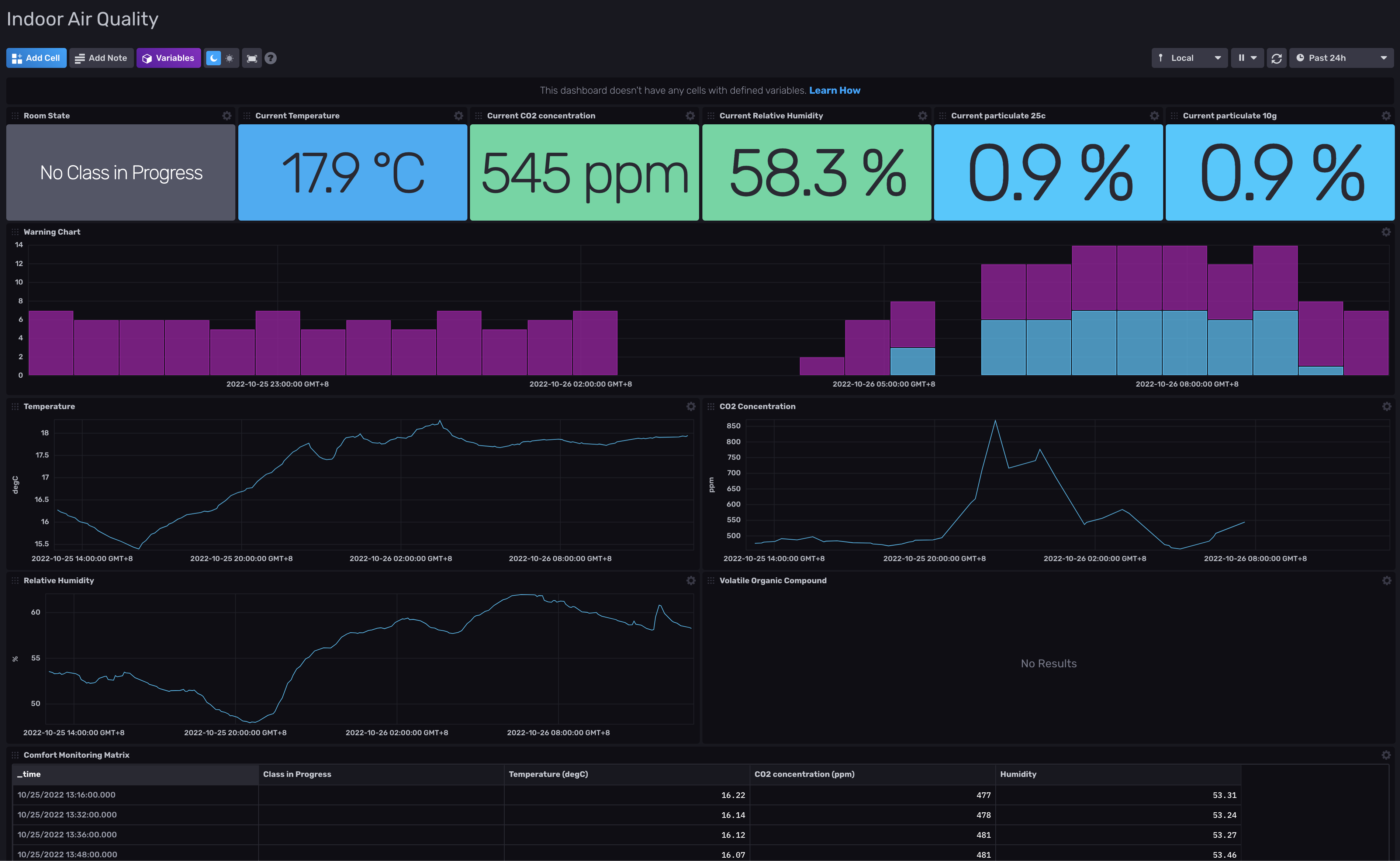
Explore occupancy and energy automation →The same McMaster University example featured in our Occupancy and Energy solution shows room state alongside temperature, CO₂ and humidity. This is the foundation for understanding how spaces behave and designing useful automation.
Help people find a space, make a booking and check in through a connected campus interface. Bring availability, floorplans and upcoming bookings together, then connect the experience to the building systems behind it.

PlaceOS acts as middleware between campus systems: normalising data from one integration and feeding it into another.
For security teams, that can mean linking a card-swipe event with the corresponding video-surveillance footage. The credential record provides identity context, while the camera provides a visual record of the entry, helping authorised staff review access to secure areas and buildings.
This is event correlation, not facial recognition. Configure access to footage, retention and audit controls around your university’s privacy and security policies.
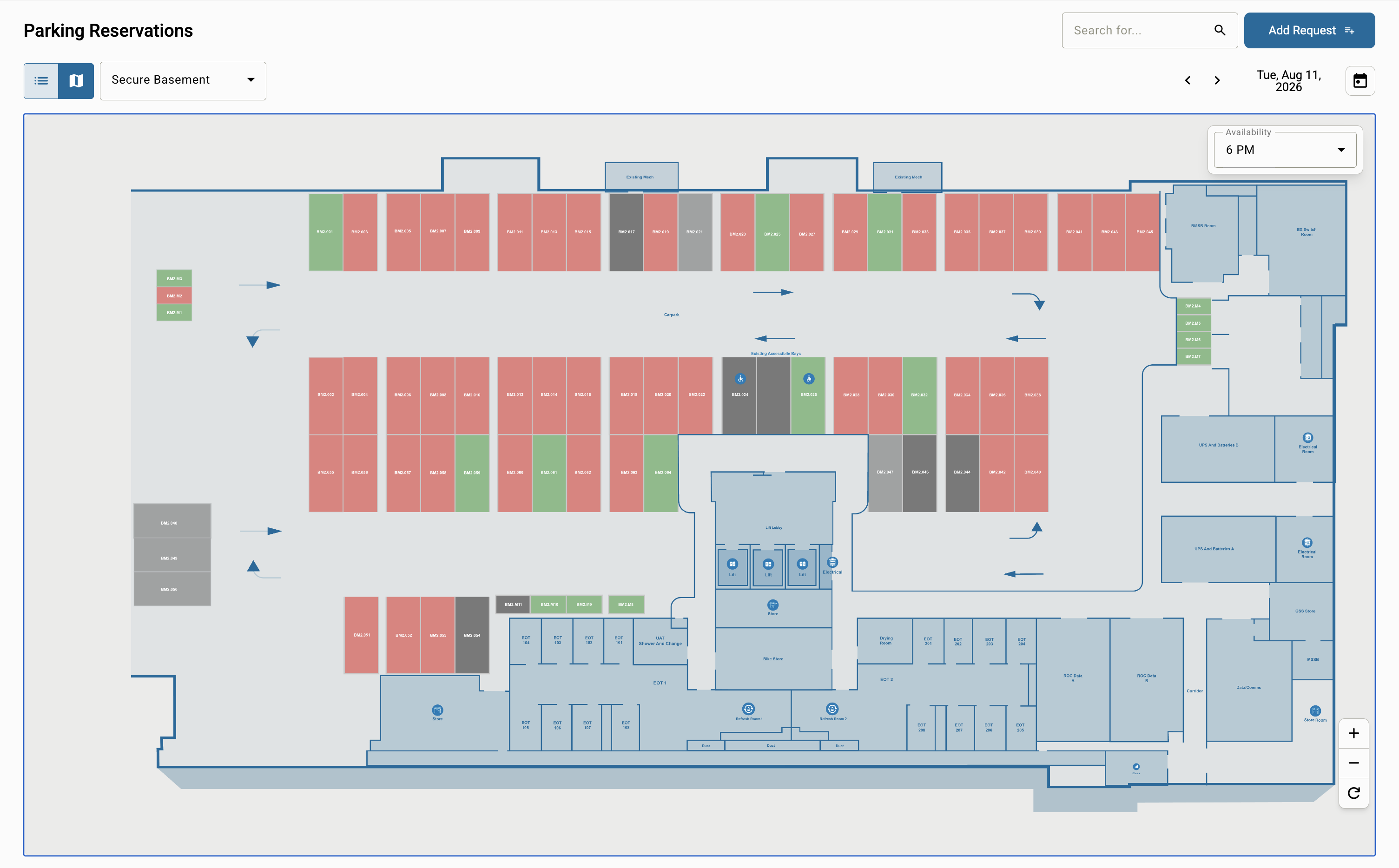
Connect parking allocation, bookings and boom-gate control so staff, students and visitors can move from a reservation to an authorised arrival. Link payment services where paid parking is required, with your eligibility, pricing and access rules.
Make campus spaces available for conferences, community events and commercial venue hire when they are not needed for teaching.
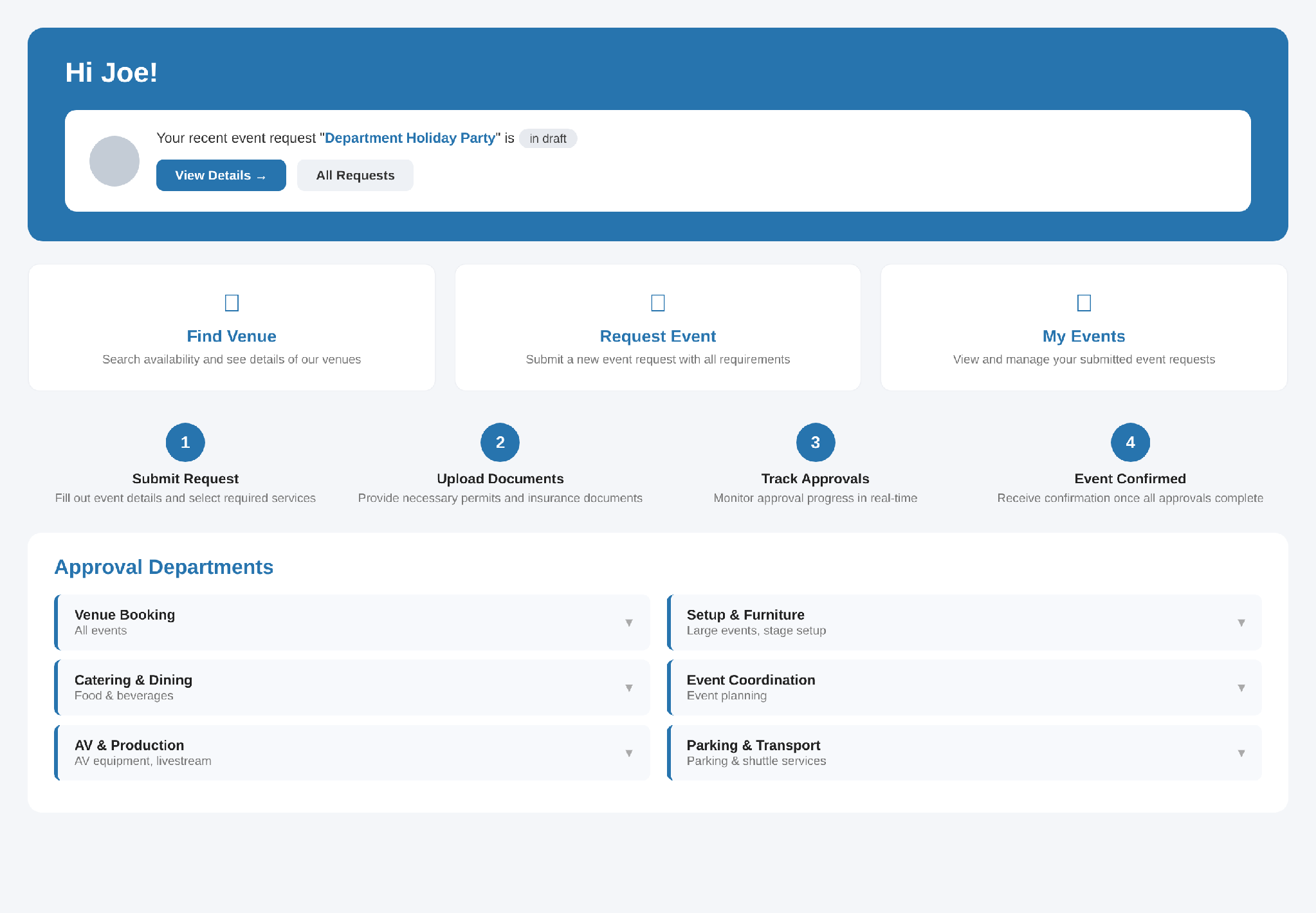
Connect event bookings with room availability, visitor access, parking and AV preparation. Bring payment services and operational workflows into the experience where needed, so a booking can drive the services that make an event work.
Your rules keep teaching priorities, approved hours, capacities and required approvals in control.
Tell us which systems you use and what you want to improve. Start with AV, occupancy or one student experience, then extend the same integration platform across your campus.
Talk to us about your university →